Office Decommissioning Checklist
Closing an office is more than removing desks and handing back the keys. A proper office decommissioning process involves planning, asset tracking, IT asset disposal, secure data destruction, furniture removal, document disposal and responsible recycling.
For UK businesses, an organised approach can also help reduce unnecessary waste and keep important records about equipment and disposal. Electrical and electronic waste is covered by the UK’s WEEE framework, while businesses handling personal data need to consider their data protection responsibilities when information is no longer required.
This office decommissioning checklist explains what to do before, during and after an office closure. It covers IT equipment, office furniture, confidential documents, data-bearing devices, WEEE disposal and the final office clearance.
Whether you are closing permanently, relocating to another building or downsizing, the same basic principle applies: plan the exit before you start removing assets.
What Is an Office Decommissioning Checklist?
An office decommissioning checklist is a structured plan for closing or vacating a workplace. It helps a business identify what needs to be retained, transferred, reused, sold, recycled or disposed of.
A complete office decommissioning checklist can cover:
- IT equipment
- Computers and laptops
- Servers and networking equipment
- Printers and peripherals
- Hard drives and storage media
- Confidential paperwork
- Office desks and chairs
- Fixtures and fittings
- Consumables
- Waste and recyclable materials
- Building access equipment
- Lease and landlord requirements
- Final cleaning and inspection
An office closure checklist is closely related, but decommissioning generally focuses more heavily on the practical process of dismantling and removing the assets and infrastructure within the workplace.
Why Every UK Business Needs an Office Closure Checklist
Without a clear plan, office closures can become rushed and expensive. Equipment can be misplaced, confidential information can be left behind and recyclable materials can end up mixed with general waste.
A good office closure checklist gives each task an owner and a deadline. It also creates a record of what happened to important business assets.
For example, an asset can be marked as:
- Retained
- Relocated
- Sold
- Donated
- Refurbished
- Recycled
- Securely destroyed
- Disposed of as waste
This approach makes the office closure process easier to manage and gives internal teams a clearer view of what remains outstanding.
Common Challenges During Office Closures
Businesses commonly have to coordinate several activities at the same time.
These can include:
- Asset inventory and tracking
- IT equipment removal
- Data destruction
- Office furniture disposal
- Confidential document destruction
- Waste segregation
- WEEE compliance
- Lease requirements
- Building restoration
- Final office clearance
The earlier these activities are planned, the easier it is to avoid last-minute decisions.
Office Closure vs Office Decommissioning
An office closure normally refers to the business leaving or shutting the workplace.
Office decommissioning is the wider operational process of preparing the premises and its contents for that exit. It may involve removing IT infrastructure, clearing furniture, destroying confidential information, disconnecting equipment and preparing the property for its next use.
For businesses moving to another location, some activities may sit under an office relocation checklist rather than a permanent closure plan.
Office Closure Planning Checklist
A successful office closure starts well before the final day.
Create a central checklist covering every department involved. Depending on the size of the organisation, this may include facilities, IT, finance, HR, security, procurement and senior management.
Create an Office Closure Timeline
Start by establishing the final occupation date and work backwards.
Your timeline should include:
- Planning and asset inventory
- Data backup and migration
- IT equipment assessment
- Furniture assessment
- Disposal and recycling arrangements
- Confidential document destruction
- Office clearance
- Final cleaning
- Landlord inspection
- Key and access-card return
Avoid leaving IT asset disposal and office clearance until the final few days. These services may require scheduling, transport and preparation.
Assign Responsibilities to Internal Teams
Every major task should have an owner.
For example:
| Task | Suggested Owner |
| IT inventory | IT Manager |
| Data backup | IT Team |
| Data destruction | IT / Compliance |
| Furniture assessment | Facilities |
| Office clearance | Facilities |
| Lease requirements | Property / Finance |
| Confidential records | Compliance / HR |
| Final inspection | Facilities |
Clear ownership helps prevent tasks from being overlooked.
Notify Employees, Clients and Stakeholders
Employees should know when equipment needs to be returned, when access will end and what will happen to office contents.
Where relevant, notify:
- Employees
- Suppliers
- Customers
- Landlords
- Building management
- IT providers
- Waste contractors
- Security providers
Review Lease and Property Exit Requirements
Check the lease before removing fixtures, fittings or infrastructure.
The landlord or property manager may have requirements concerning:
- Furniture
- Cabling
- Partitions
- Signage
- Security systems
- Lighting
- Fixtures
- Damage repairs
- Cleaning
- Waste removal
Document the condition of the premises before handing it back.
Conduct an Office Asset Inventory
Create a complete asset inventory before anything leaves the building.
Record useful information such as:
- Asset type
- Manufacturer
- Model
- Serial number
- Asset number
- Condition
- Department
- Data-bearing status
- Intended destination
- Disposal method
An asset tracking system is particularly useful when a business has a large number of computers, laptops, servers or other electronic devices.
Office Asset Inventory and Assessment
An inventory gives you the foundation for the rest of the office decommissioning process.
Identify All Business Assets
Look beyond computers and desks.
Your inventory may include:
- Desktop computers
- Laptops
- Monitors
- Servers
- Network switches
- Routers
- Firewalls
- Storage devices
- Printers
- Photocopiers
- Mobile phones
- Tablets
- EPOS equipment
- CCTV equipment
- Office desks
- Office chairs
- Cabinets
- Shelving
- Meeting-room furniture
- Kitchen equipment
- Fixtures and fittings
X Recycling current services cover several of these categories, including computers, laptops, servers, networking equipment, mobile devices and printers, as well as office removal and furniture recycling.
Categorise Assets for Reuse, Sale, Donation, Recycling or Disposal
Not everything should automatically become waste.
Consider whether an item can be:
- Reused internally
- Moved to another office
- Sold
- Refurbished
- Donated
- Recycled
- Securely destroyed
This can reduce unnecessary disposal and help businesses recover value from equipment that still has a useful life.
Create an Asset Tracking System
Keep records as equipment leaves the premises.
For higher-value IT assets, record the collection date, asset identifier, destination and final treatment where available.
This creates a useful audit trail and can support internal reporting.
IT Asset Disposal Checklist
IT equipment is one of the most important parts of an office closure.
Computers, laptops, servers and storage devices may contain business information even when the equipment is no longer in everyday use.
What Is IT Asset Disposal?
IT asset disposal, often referred to as ITAD or IT asset disposition, is the process of managing technology assets at the end of their useful business life.
A proper process can include:
- Asset identification
- Data assessment
- Data wiping or destruction
- Equipment collection
- Testing and grading
- Reuse or refurbishment
- Recycling
- Final disposal
- Documentation
Identify IT Assets Requiring Disposal
Before arranging an IT equipment disposal service, identify all devices.
Do not forget:
- Old laptops
- Desktop computers
- Servers
- Hard drives
- SSDs
- USB storage
- Backup media
- Printers
- Photocopiers
- Routers
- Switches
- Firewalls
- Mobile phones
- Tablets
Printers and multifunction devices deserve particular attention because they may contain internal storage.
Remove Business Data Before Disposal
Deleting a file or performing a normal factory reset should not automatically be treated as sufficient for every situation.
The correct method depends on the device, storage technology, business requirements and whether the equipment will be reused.
For equipment containing sensitive information, use an appropriate data wiping or physical destruction process.
Choose a Suitable IT Disposal Provider
When comparing ITAD services, ask how the provider handles:
- Collection
- Asset tracking
- Data destruction
- Chain of custody
- Recycling
- Reuse
- Documentation
- Certificates
X Recycling states that its UK IT recycling service handles computers, laptops, servers, networking equipment and other IT assets, with data protection and WEEE/GDPR compliance processes.
Obtain Documentation and Disposal Records
Keep relevant documentation with your office closure records.
Depending on the service and asset, this can include:
- Asset reports
- Collection records
- Recycling records
- Data destruction certificates
- Certificates of destruction
- Waste documentation
Best Practices for Secure IT Asset Disposal
A practical IT asset disposal checklist is:
- Identify every data-bearing device
- Record serial numbers
- Separate equipment for reuse and destruction
- Protect devices during collection
- Maintain chain of custody
- Use an appropriate data destruction method
- Obtain supporting documentation
- Keep disposal records
Need to clear IT equipment as part of an office closure?
Request a free quote from X Recycling for UK business IT recycling, office removal and data destruction services.
Secure Data Destruction and GDPR Compliance
Data security should be treated as a core part of an office decommissioning checklist rather than an afterthought.
The ICO’s guidance on the storage limitation principle states that organisations should not keep personal data for longer than necessary and should regularly review information and erase or anonymise data when it is no longer needed.
Why Data Destruction Is Essential During Office Closures
An office may contain data in more places than expected.
For example:
- Employee laptops
- Desktop computers
- Servers
- Hard drives
- SSDs
- Backup tapes
- USB drives
- Printers
- Photocopiers
- Paper files
- Archived records
Leaving these items behind without an appropriate disposal process can create unnecessary security risks.
Understanding UK GDPR Requirements
UK GDPR compliance should form part of your information lifecycle and records-management processes.
The ICO explains that the storage limitation principle means personal data should not be kept for longer than necessary. Organisations should know what personal data they hold, why they hold it and how long it needs to be retained.
The precise retention period depends on the purpose and circumstances of the data. Therefore, an office closure should not be treated as an instruction to destroy every record immediately.
Instead:
- Identify the information.
- Check applicable retention requirements.
- Identify information that is no longer required.
- Securely erase, anonymise or destroy information where appropriate.
- Keep evidence of the disposal process where necessary.
Devices That May Contain Sensitive Data
A common mistake is focusing only on computers.
Data can also be stored on:
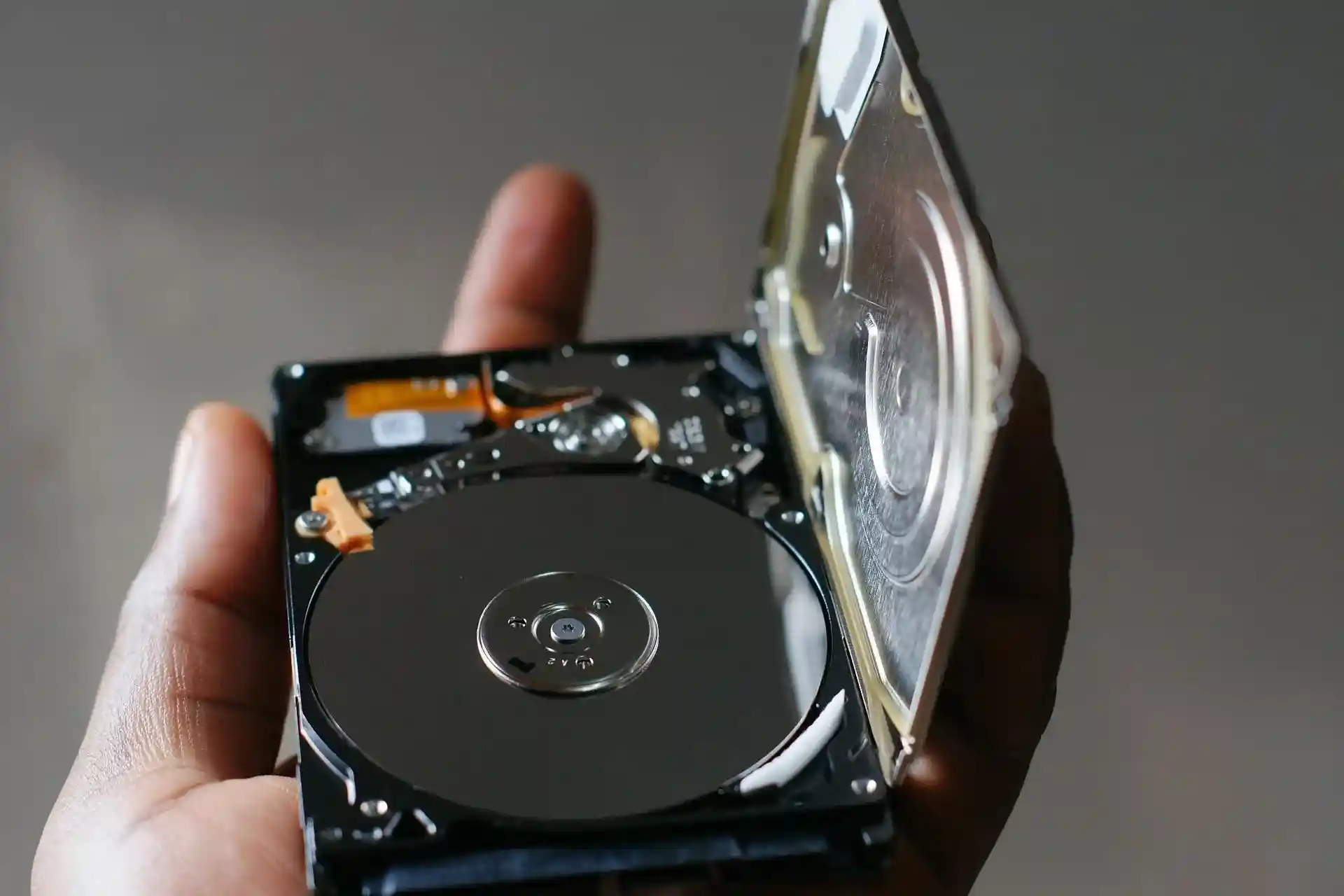
- Hard drives
- SSDs
- Servers
- Network storage
- Printers
- Photocopiers
- Mobile phones
- Tablets
- Backup media
- Security equipment
Secure Data Destruction Methods
The appropriate method depends on the equipment and whether it needs to be reused.
| Method | Typical Purpose |
| Data wiping | Preparing suitable equipment for reuse |
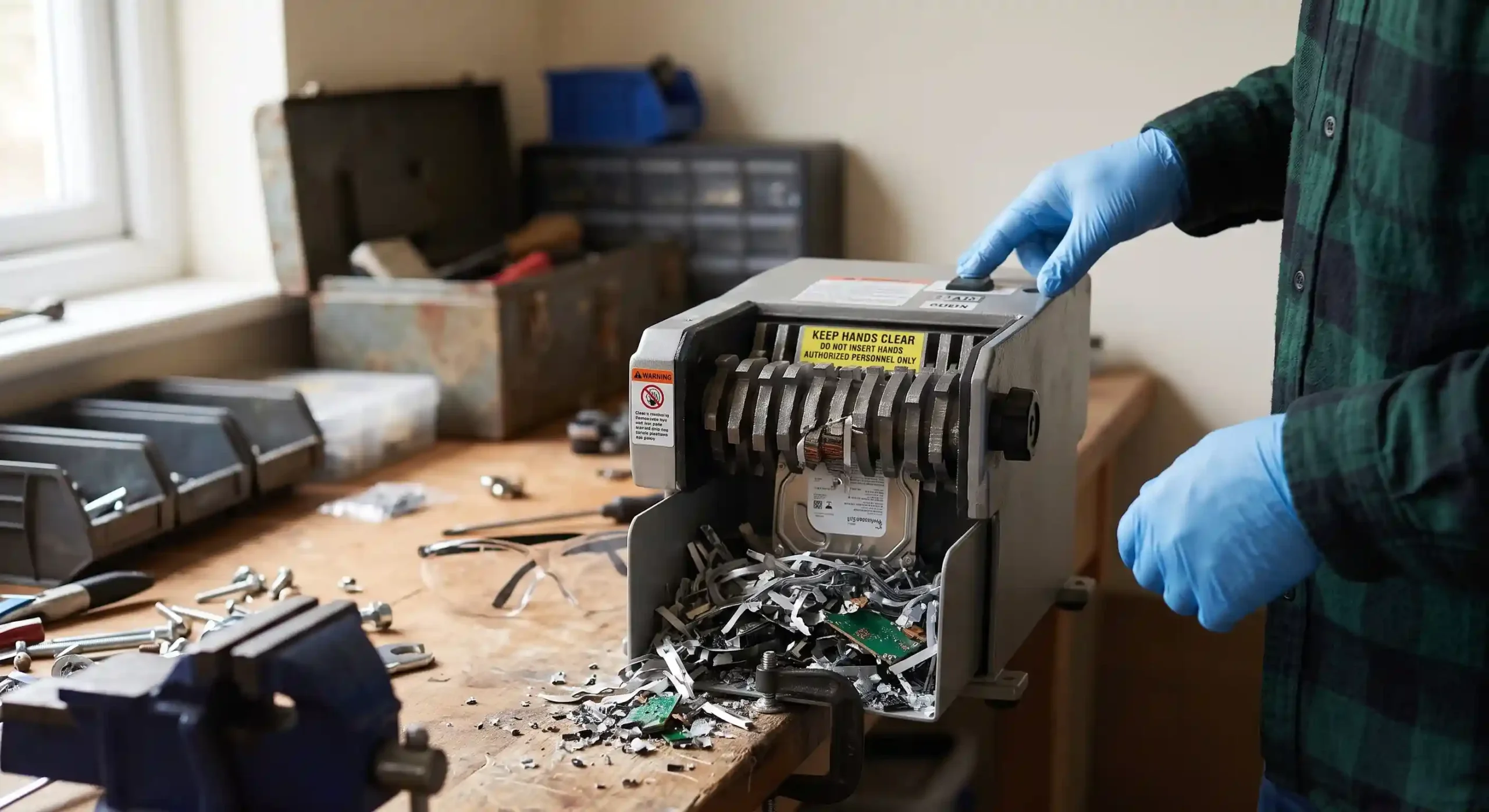
| Physical destruction | Permanently destroying storage media |
| Hard drive shredding | Destruction of HDD storage |
| SSD shredding | Destruction of solid-state storage |
| Degaussing | Magnetic-media data destruction where appropriate |
Do not assume that one method is suitable for every storage technology.
Certificates of Destruction and Compliance Records
A certificate of destruction can provide documented evidence that identified data-bearing assets were processed through a destruction service.
currently lists certificates of destruction among its data-shredding services and describes data wiping and physical destruction options for storage media.
Keep certificates and related records with the office closure documentation when they are relevant to your organisation’s compliance and audit requirements.
Office Furniture Disposal and Recycling
Office furniture can represent a significant part of an office clearance project.
Desks, chairs, cabinets and meeting-room furniture should be assessed before being treated as waste.
Conduct a Furniture Audit
Create a list of furniture and classify each item according to:
- Condition
- Quantity
- Size
- Reuse potential
- Resale potential
- Donation potential
- Recycling requirements
Reuse and Donation Opportunities
Furniture that remains functional may have another useful life.
Depending on its condition, consider:
- Moving it to another company site
- Giving it to another department
- Selling it
- Donating it
- Refurbishing it
Office Furniture Recycling Options
Furniture that cannot reasonably be reused may need to be dismantled and separated into recyclable materials where appropriate.
This can include:
- Metal
- Wood
- Plastics
- Glass
- Other recoverable materials
XRecycling’s office clearance service states that reusable items can be donated or refurbished and recyclable materials are processed through appropriate channels.
Sustainable Office Furniture Disposal
Responsible office furniture disposal is about more than simply removing items from the building.
A structured process can prioritise:
Reuse → Donation → Recycling → Appropriate disposal
The exact route will depend on the condition and material of each item.
Choosing an Office Furniture Removal Company
When selecting a provider, ask:
- Do you remove furniture as well as IT equipment?
- How are reusable items handled?
- What happens to recyclable materials?
- Do you provide documentation?
- Can collections be scheduled around business operations?
- Can the provider coordinate furniture and IT removal?
Office Clearance Checklist
Once equipment and furniture have been assessed, the physical office clearance can begin.
Remove Furniture and Equipment
Work systematically through each room.
A useful order is:
- Storage areas
- Individual workstations
- Meeting rooms
- Reception
- Kitchen and welfare areas
- Server and IT rooms
- Archives
- Remaining fixtures and fittings
Dispose of Confidential Documents
Paper records can contain:
- Employee information
- Customer details
- Financial records
- Contracts
- Internal correspondence
- Business plans
Confidential documents should be handled according to the organisation’s retention and information-security requirements.
Remove Signage and Branding
Check for:
- External signs
- Internal signs
- Wall graphics
- Reception branding
- Window decals
- Company notices
Clear Storage Areas and Archives
Do not leave archives until the final day.
Review stored materials early and separate:
- Records that must be retained
- Records that can be securely destroyed
- Equipment for recycling
- General office waste
- Items for reuse
Schedule Final Cleaning Services
The property should be left in the condition required by the lease or handover agreement.
A final clean can take place after furniture, equipment and waste have been removed.
X Recycling’s full office clearance service covers furniture, IT equipment, fixtures, consumables and other office items, with sorting for donation, recycling or disposal.
WEEE Compliance and Environmental Responsibilities
Electrical equipment removed from an office can fall within the UK’s WEEE framework when it becomes waste.
The UK government states that the WEEE Regulations 2013, as amended, provide the framework for managing waste electrical and electronic equipment, with measures intended to encourage recovery, reuse and recycling.
What Are WEEE Regulations?
WEEE stands for Waste Electrical and Electronic Equipment.
The framework is designed to support appropriate treatment and recovery of electrical and electronic waste.
For an office closure, this can be relevant to equipment such as:
- Computers
- Monitors
- Printers
- Servers
- Networking equipment
- Phones
- Electronic peripherals
The precise obligations depend on the type of activity and the parties involved.
WEEE-Compliant IT Equipment Disposal
Do not simply place unwanted electrical equipment in general waste.
Identify electrical items and arrange appropriate collection, reuse or recycling through suitable channels.
lists WEEE recycling as part of its office removal and IT recycling services.
Waste Transfer Notes Explained
Waste documentation can form part of your records when waste is transferred.
The exact documentation required depends on the type of waste and circumstances, so businesses should make sure their disposal arrangements meet the applicable UK requirements.
Environmental Benefits of Proper Disposal
Responsible disposal can help businesses:
- Increase reuse
- Recover recyclable materials
- Reduce unnecessary landfill
- Improve asset management
- Support sustainability reporting
The government describes the WEEE framework as supporting recovery, reuse and recycling of electrical and electronic equipment.
Selecting Licensed Waste Carriers
Before handing over business waste, check that the disposal arrangements are appropriate for the waste involved.
Ask potential providers about:
- Waste carrier registration where applicable
- Environmental permits
- Waste documentation
- Treatment facilities
- Recycling routes
- Reporting
Office Decommissioning Checklist
The physical decommissioning stage brings together IT, facilities and office clearance activities.
Disconnect Utilities and Services
Coordinate the shutdown or transfer of:
- Internet
- Telephone systems
- Electricity
- Water
- Security systems
- Access-control systems
- Printing services
- Alarm systems
Only authorised personnel or contractors should carry out technical disconnections where required.
Remove IT Infrastructure
Remove equipment according to your asset inventory.
This can include:
- Servers
- Network switches
- Routers
- Firewalls
- Wi-Fi equipment
- Racks
- Storage devices
- Printers
Keep track of every asset as it leaves the building.
Decommission Server Rooms
Server rooms require particular care.
Before removing equipment:
- Confirm backups
- Confirm system migration
- Identify storage media
- Record equipment
- Plan shutdowns
- Disconnect systems safely
- Securely process data-bearing equipment
Restore the Office Space
Review the property against the lease and handover requirements.
This may involve:
- Removing partitions
- Taking down signs
- Removing cabling
- Repairing damage
- Clearing storage
- Removing furniture
- Cleaning the premises
Prepare for Landlord Inspection
Complete a final walkthrough.
Check:
- Rooms
- Storage areas
- Server rooms
- Kitchens
- Toilets
- Reception
- Parking or external areas
- Fixtures
- Waste areas
Take photographs where appropriate and retain handover records.
Common Office Closure Mistakes to Avoid
Failing to Track Assets
If equipment is removed without being recorded, it becomes harder to know what happened to it.
Use asset tracking from the beginning.
Improper IT Disposal
Putting old computers or hard drives into general waste can create unnecessary data and environmental risks.
Use an appropriate IT equipment disposal process.
Inadequate Data Destruction
A device can look empty while still containing recoverable information.
Identify data-bearing equipment and select a suitable secure data destruction method.
Ignoring GDPR Requirements
Do not destroy records simply because the office is closing.
First determine whether the information must be retained. The ICO states that organisations need to be able to justify how long personal data is kept and should erase or anonymise information when it is no longer needed, subject to applicable circumstances.
Missing WEEE Compliance Obligations
Electrical equipment should be assessed separately from general office waste.
Follow appropriate WEEE and waste-management requirements for the equipment involved.
Leaving Office Clearance Until the Last Minute
Large clearances can involve multiple rooms, vehicle collections, furniture dismantling, IT equipment and documentation.
Book services early and leave time for unexpected issues.
Printable Office Closure Checklist
Use this simplified checklist as a starting point for your project.
| Task | Responsible Person | Deadline | Status |
| Complete asset inventory | ☐ | ||
| Review IT equipment | ☐ | ||
| Back up required data | ☐ | ||
| Migrate required systems | ☐ | ||
| Identify data-bearing devices | ☐ | ||
| Arrange IT asset disposal | ☐ | ||
| Arrange secure data destruction | ☐ | ||
| Obtain destruction certificates | ☐ | ||
| Audit office furniture | ☐ | ||
| Arrange furniture removal | ☐ | ||
| Review confidential documents | ☐ | ||
| Arrange secure document destruction | ☐ | ||
| Arrange WEEE recycling | ☐ | ||
| Arrange office clearance | ☐ | ||
| Remove signage | ☐ | ||
| Disconnect services | ☐ | ||
| Complete final cleaning | ☐ | ||
| Conduct landlord inspection | ☐ | ||
| Reconcile asset records | ☐ | ||
| Store disposal documentation | ☐ |
Frequently Asked Questions
What is included in an office decommissioning checklist?
An office decommissioning checklist can include asset inventory, IT equipment removal, data destruction, furniture disposal, confidential document destruction, WEEE recycling, office clearance, building restoration and final handover.
The exact checklist depends on whether the business is closing, relocating, downsizing or returning leased premises.
How do you dispose of office IT equipment securely?
Start by identifying every data-bearing device. Record the equipment, determine whether it will be reused or disposed of, and use an appropriate data wiping or physical destruction method.
For equipment that becomes waste, arrange appropriate recycling or disposal rather than putting electrical equipment into general waste.
What are the UK GDPR requirements for office closures?
There is no single UK GDPR “office closure checklist” that applies to every organisation.
Businesses need to consider their existing data protection obligations, including the storage limitation principle. The ICO states that personal data should not be retained for longer than necessary and should be reviewed and erased or anonymised when it is no longer required, subject to applicable circumstances.
What is IT asset disposal?
IT asset disposal is the process of managing unwanted or end-of-life technology. It can include asset identification, data wiping, physical destruction, refurbishment, resale, recycling and final disposal.
IT asset disposition is often shortened to ITAD.
How should office furniture be disposed of?
First assess whether furniture can be reused, relocated, sold or donated. Furniture that cannot be reused can then be assessed for recycling or appropriate disposal.
A professional office clearance company may be able to manage furniture removal alongside IT equipment and other office contents.
What are WEEE regulations?
WEEE regulations provide a UK framework for managing waste electrical and electronic equipment. The government explains that the regulations are intended to encourage recovery, reuse and recycling and reduce electrical waste going to landfill or incineration.
How long does office decommissioning take?
There is no standard timeframe for every project.
A small office may be cleared relatively quickly, while a large organisation with multiple floors, servers, furniture, archives and complex IT infrastructure may require considerably more planning.
The size of the premises, quantity of assets, data requirements, lease conditions and disposal schedule all affect the timeline.
Do I need a certificate of destruction for data disposal?
A certificate of destruction can provide documented evidence that specified data-bearing assets were destroyed. Whether you need one depends on your organisation’s policies, contractual requirements, audit needs and compliance obligations.
When selecting a data destruction service, ask what documentation will be provided and which assets it covers.
Conclusion
A well-planned office decommissioning checklist can make an office closure much easier to control.
The key is to treat the project as more than a simple office clearance. Start with an asset inventory, identify equipment that contains business information, plan secure data destruction, assess furniture for reuse or recycling, separate electrical waste appropriately and keep records of important disposal activities.
For IT equipment, the process should cover computers, laptops, servers, storage devices, networking equipment, printers and other electronics. For furniture, assess whether items can be reused, donated, refurbished or recycled before considering disposal.
Data protection also deserves particular attention. Businesses should review their records and follow appropriate retention and disposal processes rather than destroying information automatically when an office closes. The ICO’s guidance emphasises that personal data should not be retained for longer than necessary.
Similarly, electrical and electronic waste should be handled through appropriate WEEE and waste-management arrangements.
If your business is preparing for an office closure, relocation or complete office clearance, combining IT asset disposal, secure data destruction, furniture removal and office recycling into one coordinated project can simplify the process.
X Recycling
Address: 46B Jellicoe Road, Leicester, LE5 4FN, UK
Phone: 0203 475 7578
Email: info@X Recycling.co.uk
Website: X Recycling.co.uk