Schools replace computers regularly as devices become outdated, damaged, slow or incompatible with newer software. But when a school has dozens or hundreds of old devices, deciding what to do with them requires more thought than simply putting them aside or sending them to general waste.
If you need to dispose of old school computers, the process should consider data security, reuse, recycling and appropriate waste management. Desktop computers, laptops, monitors, servers, tablets, printers, hard drives and networking equipment can all require different handling depending on their condition and whether they contain stored data.
A responsible approach normally starts with an inventory, followed by data protection checks and an assessment of whether equipment can be reused or refurbished. Equipment that has reached the end of its useful life can then be sent through an appropriate recycling or disposal route.
For schools, this matters because old IT equipment may contain personal or confidential information. UK government guidance for schools says personal data should only be kept for as long as needed and information that is no longer required should be disposed of safely.
This guide explains how to dispose of old school computers, what schools can recycle, how secure data destruction fits into the process, and what to consider when choosing a school IT recycling provider in the UK.
What Should Schools Do With Old Computers?
There is no single disposal route that is right for every computer. The first question should be whether the equipment is genuinely waste or whether it can still provide useful service.
Schools may consider several options:
- Reuse suitable equipment elsewhere in the school.
- Refurbish computers that can be repaired or upgraded.
- Donate or redistribute suitable equipment where appropriate.
- Recycle equipment that has reached the end of its useful life.
- Securely destroy storage devices where data cannot or should not be retained.
- Use a professional school IT recycling or disposal service to manage the process.
For example, a computer that is too slow for one classroom may still be useful for another purpose after refurbishment. On the other hand, a damaged computer with an old hard drive may require secure data handling and specialist recycling.
The important point is that school computer disposal should be treated as a managed process rather than simply throwing old technology away.
How to Dispose of Old School Computers Step by Step
A structured process makes IT equipment disposal for schools easier to manage and reduces the risk of equipment or data being overlooked.
1. Create an Inventory of School IT Equipment
Start by making a list of everything that needs to be removed.
This may include:
- Desktop computers
- Laptops
- Monitors
- Servers
- Tablets
- Printers
- Hard drives
- Keyboards and mice
- Networking equipment
- Other IT peripherals
Record useful information such as the asset number, make, model, serial number, location and condition.
For larger schools or academy trusts, an accurate inventory can make collection planning much easier. It can also help the school maintain a clear record of what happened to each device.
XRecycling provides IT asset management and reporting alongside its IT recycling services, which can be useful when an organisation needs structured handling of retired equipment. XRecycling IT Recycling & Asset Management
2. Check Whether the Equipment Can Be Reused
Not every old computer needs to become waste.
Before arranging computer recycling for schools, assess whether each device is:
- Fully working
- Repairable
- Upgradeable
- Suitable for another department
- Suitable for refurbishment
- Too old or damaged to justify further use
Reuse can extend the useful life of equipment and may reduce the amount of IT equipment entering the waste stream.
However, reuse should not mean ignoring data security. A device should be properly assessed and its stored data securely handled before it is transferred to another user or organisation.
3. Back Up Important Data
Before disposing of old equipment, determine whether the school needs to retain any information stored on it.
This could include:
- Documents
- Administrative records
- School correspondence
- User files
- Financial information
- System configurations
- Other records required by the school
Important information should be transferred to an appropriate storage system before the device leaves the school’s control.
At the same time, schools should avoid keeping unnecessary personal data indefinitely. Department for Education guidance states that schools should have processes for deciding how long information is retained and should dispose of information safely when it is no longer required.
4. Securely Erase Data From Old Computers
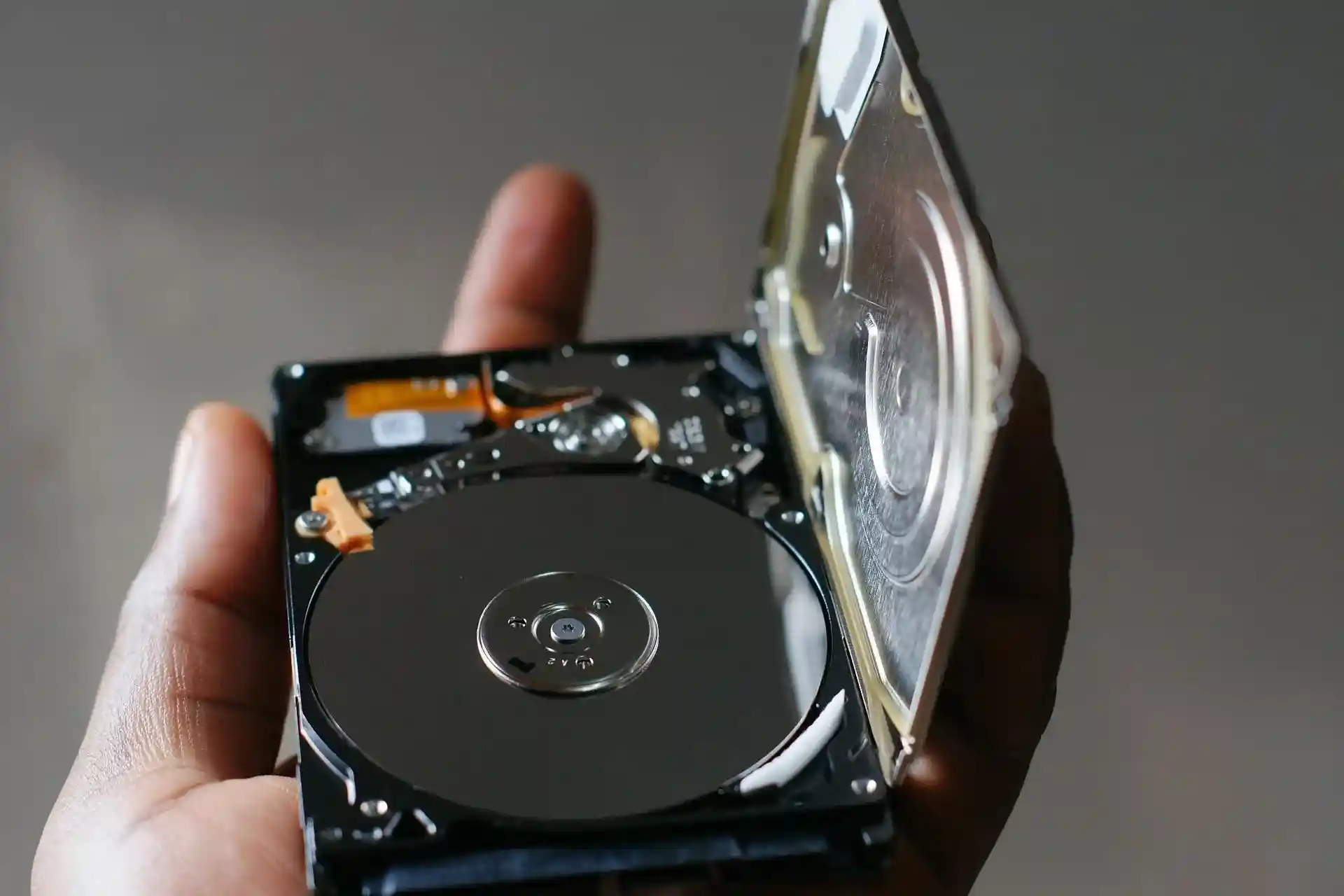
One of the most important parts of secure IT disposal for schools is dealing with storage devices.
Simply dragging files to a recycle bin does not provide the same assurance as a properly managed data-erasure or destruction process.
Depending on the circumstances, schools may use:
- Secure data wiping
- Verified data erasure
- Physical destruction
- Hard drive shredding
- SSD destruction
- Other appropriate storage-media destruction methods
The correct approach depends on the equipment, the data involved and the school’s policies.
XRecycling offers data wiping, hard drive shredding, SSD shredding, server drive destruction and certificates of destruction as part of its data-shredding services. XRecycling Data Shredding Services
5. Separate Reusable and Recyclable Equipment
Once the equipment has been assessed and data requirements have been addressed, divide it into appropriate groups.
A simple approach is:
Working → Reuse or refurbish
Repairable → Refurbish
Obsolete or damaged → Recycle
Storage device requiring destruction → Secure data destruction
This helps prevent useful equipment from being unnecessarily discarded while ensuring genuinely redundant equipment enters an appropriate recycling route.
6. Choose a Suitable School IT Recycling Provider
If a school has a large quantity of redundant equipment, professional IT recycling for schools can make the process more manageable.
When comparing providers, look at:
- Experience with commercial or education organisations
- Data-security procedures
- Equipment collection
- Asset reporting
- Data destruction documentation
- Recycling and reuse processes
- Relevant waste-management credentials
- Collection coverage
- Ability to handle multiple sites
The provider should be able to explain what happens to equipment after collection rather than simply promising to “dispose” of it.
XRecycling currently lists education among the industries it serves and offers computer, laptop, server, networking equipment, printer and peripheral recycling, together with data destruction and WEEE recycling services.
7. Arrange Collection and Keep Disposal Records
After choosing a provider, agree on the collection arrangements.
For larger school IT disposal projects, consider:
- Number of devices
- Collection locations
- Access requirements
- Equipment packaging
- Collection dates
- Asset records
- Data destruction requirements
- Documentation required after collection
Keep appropriate records throughout the process.
This can create a useful audit trail showing what equipment was removed, how data was handled and what happened to the equipment afterwards.
Why Secure Data Destruction Matters for School Computers
Old school computers can contain considerably more information than people realise.
A desktop or laptop may contain documents, saved accounts, emails, browser data, locally stored files or other information associated with students and staff.
That makes secure data destruction schools a key consideration when disposing of old IT equipment.
What Data Could Be Stored on an Old School Computer?
Depending on how a device was used, it may contain:
- Student information
- Staff information
- Administrative records
- Financial documents
- Emails
- User accounts
- School documents
- Locally stored files
- System information
- Other personal or confidential information
Not every device will contain all of these categories, but schools should establish what information may be present before equipment leaves their control.
Is Deleting Files Enough Before Recycling a Computer?
Usually, simply deleting individual files should not be treated as the complete disposal process for a storage device containing sensitive information.
There is an important difference between deleting a file and securely sanitising or physically destroying the storage media.
Schools should follow their own data-protection policies and choose an appropriate method based on the sensitivity of the information and the intended destination of the equipment.
For devices that are being reused, an appropriate secure wiping process may be considered. Where a storage device is being destroyed, physical destruction may be used instead.
Should Schools Get a Certificate of Data Destruction?
Documentation can be valuable when equipment containing sensitive information is removed.
A certificate or destruction record can help an organisation maintain evidence of what happened to a storage device.
The precise documentation required will depend on the school’s procedures, the service used and the circumstances of the disposal.
XRecycling lists certificates of destruction among its data-shredding services.
School IT Recycling and UK WEEE Requirements
Old computers and related electronic equipment fall within the wider area of waste electrical and electronic equipment, commonly called WEEE.
UK government guidance explains that WEEE rules are intended to reduce electrical and electronic waste going to landfill or incineration and encourage recovery, reuse and recycling. The underlying UK framework is the Waste Electrical and Electronic Equipment Regulations 2013, as amended.
This is why WEEE recycling schools is an important part of responsible IT disposal.
What Is WEEE?
WEEE means Waste Electrical and Electronic Equipment.
It covers many electrical and electronic products, including relevant IT and telecommunications equipment.
Government guidance specifically identifies IT and telecommunications equipment within the WEEE framework.
For schools, this can include many types of equipment that become redundant during technology upgrades.
Can Schools Put Old Computers in General Waste?
Schools should not treat redundant computers as ordinary rubbish.
The appropriate route depends on the type and status of the equipment, but business WEEE needs to be managed through an appropriate waste route. GOV.UK guidance explains that business WEEE must be managed according to applicable waste requirements, with different arrangements depending on whether it is B2C or B2B WEEE.
A specialist recycling provider can help schools determine an appropriate route for their equipment.
What School IT Equipment Can Be Recycled?
Different devices can have different reuse, recycling and data-security requirements.
| Equipment | Possible Route |
| Desktop computers | Reuse, refurbishment or recycling |
| Laptops | Reuse, refurbishment or recycling |
| Monitors | Reuse or recycling |
| Servers | Reuse or specialist recycling |
| Tablets | Secure erasure and reuse/recycling |
| Hard drives | Secure data destruction |
| Printers | Reuse or recycling |
| Keyboards and mice | Reuse or appropriate recycling |
| Networking equipment | Reuse or recycling |
The exact route should depend on the condition of the equipment, whether it contains data and the requirements of the recycling or disposal process.
School IT Disposal vs School IT Recycling: What Is the Difference?
The terms school IT disposal and school IT recycling are often used together, but they do not necessarily mean exactly the same thing.
IT recycling generally refers to the recovery, processing or recycling of equipment and materials.
IT disposal is a broader term for removing equipment from an organisation through an appropriate end-of-life process.
Reuse means putting suitable equipment back into service.
Refurbishment involves repairing, upgrading or preparing equipment for further use.
Data destruction concerns the secure handling or destruction of information stored on equipment.
Therefore, disposing of an old computer does not automatically mean sending it to landfill. A suitable process may involve reuse, refurbishment, recycling or secure destruction depending on the equipment.
This distinction is useful when searching for education IT disposal, education IT recycling, or computer disposal for schools.
Can Schools Recycle Old Computers?
Yes, old school computers can potentially enter appropriate reuse or recycling routes depending on their condition and the data they contain.
This can include:
- Desktop computers
- Laptops
- Monitors
- Servers
- Tablets
- Printers
- Networking equipment
- Keyboards and mice
- Other computer peripherals
Before recycling, schools should consider whether the device can be reused and how any stored information will be handled.
For example, a working laptop may have potential for refurbishment, while a damaged desktop with an unusable hard drive may require secure data destruction and recycling.
This makes school computer recycling more than simply collecting old devices. It is about determining the most appropriate route for each type of equipment.
Can Schools Donate or Reuse Old Computers?
Schools may be able to reuse suitable computers internally or potentially donate suitable equipment, depending on their circumstances and policies.
However, equipment should not simply be handed over because it still turns on.
Before transferring an old device, consider:
- Its condition
- Its performance
- Whether it is still supported
- Data stored on the device
- Software and licensing requirements
- Whether the recipient can use it
- Asset records
- Secure data wiping
For schools searching for what to do with old school computers UK, reuse can be one option worth assessing before recycling.
The important principle is to balance reuse with security, practicality and responsible asset management.
What Happens to Old School Computers After Collection?
The exact process varies by provider, but a responsible IT recycling process can involve several stages.
Collection
The equipment is collected from the school or agreed locations.
Inventory and Assessment
Devices may be identified, recorded and assessed for condition and potential reuse.
Data Security
Storage devices are handled according to the agreed data-destruction or wiping process.
Testing and Refurbishment
Suitable equipment may be tested and prepared for further use.
Component Recovery
Equipment that cannot be reused may be processed to recover suitable materials and components.
Recycling
Remaining equipment can enter appropriate recycling processes.
Reporting
The school can retain relevant asset, recycling or data-destruction documentation.
XRecycling describes its approach as prioritising reuse and recycling and provides IT asset management and reporting services alongside its recycling and data-shredding services.
How Much Does School Computer Disposal Cost in the UK?
There is no single price for school computer disposal UK because the cost can depend on the circumstances.
Factors may include:
- Number of devices
- Type of equipment
- Equipment condition
- Collection location
- Number of collection sites
- Data destruction requirements
- Packaging or handling requirements
- Potential reuse or resale value
Some equipment may retain enough reuse or resale value to affect the cost of collection, while other projects may require a quotation.
XRecycling states that some collections may be provided at no cost where equipment has reuse or resale value, while other collections are quoted according to factors such as equipment type, condition, quantity and location.
For that reason, schools should provide an accurate equipment list when requesting a quotation rather than relying on a generic advertised price.
Need to Clear Out Old School IT Equipment?
If your school has desktops, laptops, servers, monitors, hard drives or networking equipment that needs responsible recycling, XRecycling can assess your requirements and provide a suitable IT recycling or data-destruction solution.
Request a free quote from XRecycling and provide details about the equipment, quantity and collection requirements.
Request a Free Quote from XRecycling
How Schools Can Prepare for an IT Equipment Collection
Good preparation can make IT equipment disposal for schools considerably easier.
Use this checklist before collection:
- Identify all redundant equipment.
- Record asset numbers and serial numbers where available.
- Determine whether important information needs to be retained.
- Back up required information.
- Identify devices containing personal or confidential data.
- Arrange appropriate data wiping or destruction.
- Separate equipment intended for reuse from equipment intended for recycling.
- Confirm the collection requirements.
- Check what documentation will be provided.
- Update the school’s asset records after completion.
For a multi-school organisation, consider maintaining a central record so equipment from different sites can be tracked consistently.
Common Mistakes When Disposing of School Computers
Throwing Computers Into General Waste
Old computers are electronic equipment and should be managed through an appropriate waste route rather than treated like ordinary rubbish.
Assuming Deleted Files Cannot Be Recovered
Deleting files is not the same as following a controlled data-erasure or destruction process.
Forgetting Hard Drives and Other Storage Devices
A school may remember to recycle the computer but overlook the hard drive, SSD or other storage media inside it.
Storage devices deserve particular attention because they may contain personal or confidential information.
Choosing a Provider Without Checking Its Credentials
Price should not be the only consideration.
Ask how the provider handles:
- Data
- Storage devices
- Collection
- Recycling
- Asset records
- Documentation
- WEEE
- Reusable equipment
Failing to Keep Disposal Records
A school should maintain appropriate records of its equipment disposal activities and data-handling processes.
Treating Every Computer as Waste
A device that is old does not necessarily have zero value.
Some equipment may be suitable for reuse, refurbishment or recovery. Assessing equipment before recycling can help schools choose a more appropriate route.
School IT Disposal for Multi-Academy Trusts
Multi-Academy Trusts can face additional challenges because equipment may be spread across numerous schools and locations.
A centralised school IT disposal process can help create consistency.
Consider establishing:
- A central asset register
- Standard data-destruction procedures
- Consistent collection arrangements
- A common equipment-assessment process
- Scheduled collections
- Consolidated reporting
- Documented disposal procedures
For example, a trust may replace computers across several schools during the same academic year. Rather than arranging separate ad-hoc disposal processes, it can assess whether equipment can be consolidated into planned collections.
This can make school IT recycling UK projects easier to coordinate and can provide better visibility over retired equipment.
How to Choose a School IT Recycling Provider
Choosing a provider is an important part of responsible IT recycling for schools.
Before committing, ask the following questions.
1. Do They Handle Education or Commercial IT Equipment?
Schools should understand whether the provider is equipped to manage organisational IT equipment rather than only household recycling.
2. How Is Data Handled?
Ask about:
- Data wiping
- Hard drive destruction
- SSD destruction
- Storage-media handling
- Certificates
- Chain of custody
3. What Happens to Reusable Equipment?
A provider should be able to explain whether suitable equipment can be reused or refurbished.
4. What Happens to Equipment That Cannot Be Reused?
Ask how obsolete equipment is processed and recycled.
5. Can They Provide Asset Reporting?
Asset reporting can be particularly useful for schools and academy trusts managing large quantities of equipment.
6. Can They Handle Multiple Locations?
For trusts and large education organisations, multi-site collection capability can be important.
7. What Documentation Is Provided?
Ask in advance what records, reports or certificates will be supplied after the project.
XRecycling currently offers IT recycling, computer recycling, laptop recycling, server recycling, networking equipment recycling, printer and peripheral recycling, data wiping, hard drive and SSD shredding, certificates of destruction and WEEE recycling.
Explore XRecycling’s IT Recycling Services
Q&A: Common Questions About School Computer Disposal
How do schools dispose of old computers?
Schools should first inventory the equipment, back up information they need to retain, assess whether devices can be reused, securely handle stored data and then send obsolete equipment through an appropriate recycling or disposal route. The exact process should reflect the school’s data-protection and waste-management procedures.
Can schools recycle old computers?
Yes. Computers may be reused, refurbished or recycled depending on their condition and the information stored on them. Schools can recycle desktops, laptops, monitors, servers and other IT equipment through an appropriate recycling route.
Can schools put old computers in the bin?
Schools should not treat old computers as ordinary general waste. Electronic equipment should be managed through an appropriate route for WEEE or other applicable waste requirements.
How should schools securely dispose of old computers?
Schools should identify whether devices contain personal or confidential information, retain information they still need, and use an appropriate secure data-erasure or destruction process before equipment leaves their control. For sensitive storage devices, professional data destruction may be appropriate.
What happens to old school computers after recycling?
Depending on their condition, old computers may be tested for reuse, refurbished, stripped for component recovery or processed through appropriate recycling channels. Storage devices may undergo data wiping or destruction before further processing.
Can schools donate old computers?
Potentially, if the equipment is suitable and the school has determined that transfer is appropriate. Before donation or redistribution, the school should consider equipment condition, data security, software requirements and asset records.
What is school IT recycling?
School IT recycling is the responsible handling of redundant technology used by schools. It can involve equipment assessment, reuse, refurbishment, secure data handling, material recovery and recycling.
What is WEEE recycling for schools?
WEEE recycling refers to the appropriate management and recycling of waste electrical and electronic equipment generated by schools. UK WEEE rules are designed to encourage recovery, reuse and recycling and reduce electrical and electronic waste going to landfill or incineration.
Do schools need secure data destruction?
Schools should take appropriate steps to protect personal data when equipment is retired. UK government guidance says schools should safely dispose of information they no longer need and maintain processes that demonstrate appropriate data retention and disposal.
How much does it cost to dispose of old school computers?
The cost depends on factors such as equipment type, quantity, condition, location, collection requirements and data-destruction needs. Some equipment may have reuse or resale value, so schools should request a quotation based on their actual equipment list.
Where can schools recycle old computers?
Schools can look for a specialist IT recycling provider that handles business or education equipment and can explain its data-security, collection, recycling and documentation processes. XRecycling provides IT recycling and data-destruction services for organisations across the UK.
How should a school dispose of old laptops?
A school should inventory the laptops, back up required information, assess whether they can be reused, securely handle stored data and then arrange appropriate reuse, refurbishment or recycling. School laptop recycling should always take data security into account.
Final School Computer Disposal Checklist
Before completing an old IT equipment project, schools can work through this process:
1. Inventory the equipment
Identify desktops, laptops, monitors, servers, tablets, printers, hard drives and networking equipment.
↓
2. Back up required data
Retain information the school still needs.
↓
3. Securely erase sensitive information
Use an appropriate data-wiping or destruction process.
↓
4. Assess equipment for reuse
Identify devices that can be reused or refurbished.
↓
5. Separate reusable and recyclable equipment
Create clear categories for the next stage.
↓
6. Select an appropriate IT recycling or disposal route
Choose a provider that can explain how equipment and data will be handled.
↓
7. Arrange collection
Confirm locations, quantities, dates and access requirements.
↓
8. Obtain relevant documentation
Keep appropriate asset, recycling and data-destruction records.
↓
9. Update school asset records
Close the disposal process by recording what happened to the retired equipment.
Conclusion: Dispose of Old School Computers Responsibly
Knowing how to dispose of old school computers is about more than getting outdated equipment out of a classroom or storage room.
Schools need to consider what happens to the equipment, what information is stored on it and whether the devices can be reused before they become waste.
A good process starts with an inventory. From there, schools can identify equipment suitable for reuse, back up information they need, securely erase or destroy sensitive data, and send genuinely redundant equipment through an appropriate recycling or disposal route.
For schools, school IT recycling, school IT disposal, secure data destruction and WEEE management are closely connected. Handling each stage properly can help create a clearer, more responsible process for retiring old technology.
Whether you are replacing a small number of laptops or clearing IT equipment from several schools, it is worth choosing a provider that can explain its collection, data-security, recycling and reporting processes clearly.
If your school or academy trust has old computers, laptops, servers, monitors, hard drives or other IT equipment ready for removal, XRecycling can help assess the requirements and provide an appropriate recycling and data-destruction solution.
Ready to clear your old school IT equipment? Request a free quote from XRecycling today.